
[title title=”DEMO” align=”center” font_size=”custom-sz” custom_font_size=”65px” line=”no”]
What is ENvision?
[title title=”ENvision is an online mapping and data analysis tool for the energy industry.” title_tag=”h4″ title_font=”{‘family’:’Open Sans’, ‘variant’:’600′, ‘size’:’18’}” sub_title_font=”{‘family’:’Open Sans’, ‘variant’:’300′, ‘size’:’18’}” title_uppercase=”no” font_size=”custom-sz” custom_font_size=”18″ sub_title_text=”It is loaded with hundreds of layers for pipelines, facilities, power plants, transmission lines, service territories and more from MAPSearch’s industry leading databases.” custom_title_color=”#000000″ custom_sub_title_color=”#000000″]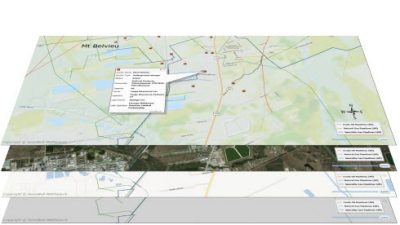
With ENvision you can:
- Create detailed maps for presentations in minutes.
- Gather visual market intelligence by easily locating assets.
- Locate assets by name, owner, or operator, commodity and numerous other data fields.
- Visualize changing market dynamics through new build and retrofit infrastructure projects.
- Change symbols, colors and shapes for features or import your own custom symbols.
- Upload and incorporate your own mapping data to use in a safe, secure environment.
- Share layers and collaborate on maps with colleagues within the product.
- Export maps and data into a variety of formats.
- Choose from our Pipeline or Power subscriptions or get both for complete coverage.